If your Firefox browser is too slow especially when you open many tabs at one time, you can consider to enable the HTTP pipelining feature in the browser. By default, this feature is turned off and you have to manually tweak the browser configuration to enable it.
Steps to Enable HTTP Pipelining:
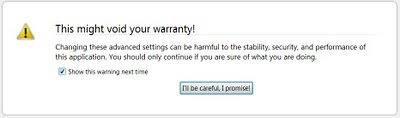
- Enter “about:config” at the address bar and press enter. You will see the following screen. So click “I'll be care, I promise”.
- In the filter box, type “pipelining” and you will see the following screen.
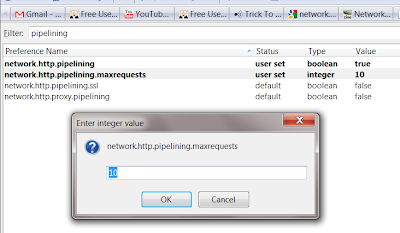
- Double-click the “network.http.pipelining”, it will be changed from the default “false” to “true”. Double-click again will change back to “false”. Since you want to enable the “http pipelining”, you make sure the value is “true”.
- Double-click the “network.http.pipelining.maxrequests” and change the default value 4 to 8 .
- Click OK and close the page.
[Updated on 18 April 2010]
The supported maximum value for pipelining request in firefox is 8 - change 10 to 8.
Note: Why
8? It is up to you to set the value. If the value is too high, it probably will hurts more and cause more delays. 10 is just a recommended value that I play around with and it seems pretty cool. Of course, you can play around with your own number to optimize your browser's speed.
In short, HTTP pipeling is a HTTP protocol that does not required the client to wait for the server to respond and keep sending the request. Because there are some delays waiting the respond from the server, enabling this HTTP feature can actually speed up the browser's page loading speed. To know more about HTTP pipelining, you can visit
here.





